How to Deploy Traefik 2.10.1: Cloud Native Edge Router for Containers in Docker Swarm
Traefik is a cloud-native reverse proxy and load balancer that automatically discovers the right configuration for your microservices, making deployments seamless.

Traefik is a cloud-native reverse proxy and load balancer that makes deploying microservices incredibly easy. It automatically discovers the right configuration for the services you are deploying, which, alongside its rich feature set, makes it one of the most popular edge routers available.
In my previous post, I explained how to build a Docker Swarm Cluster in Azure on Ubuntu with GlusterFS as persistent storage to host container-based microservices.
In this post, I am going to show you how to deploy Traefik 2.10.1 into that Docker Swarm Cluster using Docker Compose to act as the primary reverse proxy and load balancer.
Introduction to Traefik
Traefik is a modern HTTP reverse proxy and load balancer. It integrates natively with most existing infrastructure components—including Docker, Swarm mode, Kubernetes, Consul, Etcd, and Amazon ECS—and configures itself dynamically.
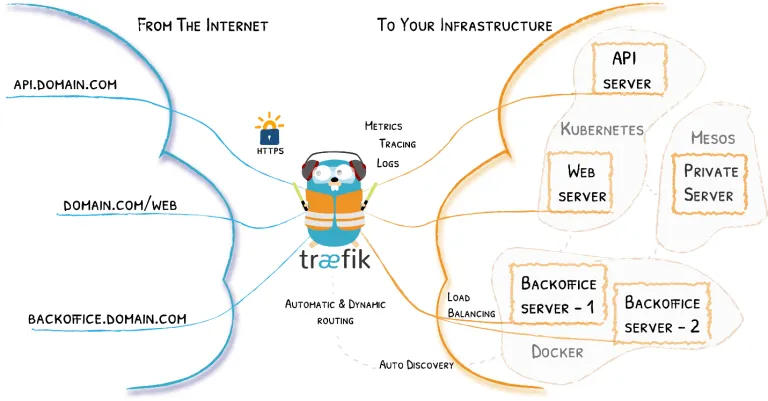
The magic happens when Traefik inspects your infrastructure. It finds relevant information and automatically discovers which service serves which request. No manual configuration files required!
If you want to know more about Traefik, check out the links below:
Traefik Flavors
You can install Traefik using the following methods:
- Use the official Docker image
- Use the binary distribution
- Compile your binary from the source
I use the official Alpine Docker Container in my traefik.yml configuration file, as it is incredibly lightweight and secure.
Migrating to Traefik v2+: There are massive improvements in version 2 and beyond. “Frontends” and “Backends” are dead… long live Routers, Middlewares, and Services!
Typically, a router replaces a frontend, and a service assumes the role of a backend, with each router pointing to a specific service. TLS parameters, which used to be specified in static entry points, are now handled by dynamic cert resolvers. You can find migration details here.
Securing the Dashboard (Basic Authentication)
Before spinning up the Traefik stack, let’s set up an encrypted password to securely access the Traefik monitoring dashboard.
I use the htpasswd utility to create the encrypted password. Install the utility on your Swarm master node (it is included in the apache2-utils package):
sudo apt-get install apache2-utilsNow, generate the password. Replace secure_password with the password you’d like to use for the Traefik admin user:
htpasswd -nb admin secure_passwordThe output will look something like this:
admin:$apr1$/RhNAq/6$9Lh.isfKrOwKMfxliqrdD/We’ll use this hashed string in the Traefik configuration file to set up HTTP Basic Authentication. Keep this string handy.
In Docker Compose files, dollar signs ($) are used for variable interpolation. You must escape every $ in your hashed password with a double dollar sign ($$). For example, $$apr1$$ /RhNAq...
Prepare the Deployment Environment
Let’s create a Docker overlay network for our proxy to share with other stacks. We will call this network proxy.
docker network create -d overlay proxyWhen Traefik starts, we will attach it to this proxy network. As we deploy future applications, we will simply attach them to this same network so Traefik can discover and route traffic to them.
Now, let’s create our configuration directory under /opt:
cd /opt
sudo mkdir -p traefik
cd traefik
Create two files: acme.json (to store Let’s Encrypt certificates) and traefik.yml (the Docker Compose file).
sudo touch acme.json
sudo touch traefik.yml
Lock down the permissions on acme.json so that only the owner has read and write permissions. Traefik will refuse to start if this file is too open.
sudo chmod 600 acme.jsonTraefik Docker Compose Configuration
Open traefik.yml using your editor:
sudo nano traefik.ymlPaste the following Docker Compose configuration. Be sure to replace your email address, traefik.example.com, and the basicauth.users hash with your actual details.
version: "3.7"

services:
  traefik:
    image: traefik:v2.10.1
    command:
      - "--api=true"
      - "--api.dashboard=true"
      - "--providers.docker=true"
      - "--providers.docker.exposedbydefault=false"
      - "--providers.docker.swarmMode=true"
      - "--providers.docker.network=proxy"
      - "--entrypoints.web.address=:80"
      - "--entrypoints.websecure.address=:443"
      - "--certificatesresolvers.default.acme.email=admin@example.com"
      - "--certificatesresolvers.default.acme.storage=/acme.json"
      - "--certificatesresolvers.default.acme.tlschallenge=true"
    ports:
      - 80:80
      - 443:443
    deploy:
      placement:
        constraints:
          - node.role == manager
      replicas: 1
      update_config:
        parallelism: 2
        delay: 10s
      restart_policy:
        condition: on-failure
      labels:
        # Enable Dashboard
        - "traefik.enable=true"
        - "traefik.docker.network=proxy"
        - "traefik.http.routers.traefik.rule=Host(`traefik.example.com`)"
        - "traefik.http.routers.traefik.service=api@internal"
        - "traefik.http.routers.traefik.tls.certresolver=default"
        - "traefik.http.routers.traefik.entrypoints=websecure"

        # Apply Authentication Middleware
        - "traefik.http.routers.traefik.middlewares=authtraefik"
        - "traefik.http.middlewares.authtraefik.basicauth.users=admin:$$apr1$$/RhNAq/6$$9Lh.isfKrOwKMfxliqrdD/"
        - "traefik.http.services.traefik.loadbalancer.server.port=8080"

        # Global redirect from HTTP to HTTPS
        - "traefik.http.routers.http-catchall.rule=hostregexp(`{host:.+}`)"
        - "traefik.http.routers.http-catchall.entrypoints=web"
        - "traefik.http.routers.http-catchall.middlewares=redirect-to-https"
        - "traefik.http.middlewares.redirect-to-https.redirectscheme.scheme=https"
    volumes:
      - /var/run/docker.sock:/var/run/docker.sock
      - ./acme.json:/etc/traefik/acme.json
    networks:
      - proxy

networks:
  proxy:
    external: true
Watch the video below to see a walkthrough of deploying Traefik in a Docker Swarm Cluster.
Understanding the deploy Key
The deploy key allows us to specify configurations related to Swarm deployment. This is ignored by standard docker-compose up but is critical for docker stack deploy.
mode: Can beglobal(one container per Swarm node) orreplicated(a specific number of containers). The default isreplicated.placement: Forces the service to run on specific nodes. Because Traefik needs to listen to Swarm events, we constrain it tonode.role == manager.update_config: Controls how the service updates.parallelismdefines how many containers update at once, anddelaydetermines the wait time between updates.restart_policy: Defines what happens if the container crashes. Setting this toon-failureensures high availability.labels: In Swarm mode, Traefik routes must be defined under thedeploy.labelskey, not the standard container labels key. By setting"traefik.enable=true", we instruct Traefik to start routing to itself so we can access the dashboard.
Deploy the Traefik Stack
Deploy the stack to your Swarm using the following command:
docker stack deploy --compose-file traefik.yml proxyCheck the status of the deployment:
docker stack ps proxyInspect the logs to ensure Traefik started correctly and provisioned the Let’s Encrypt certificate:
docker service logs proxy_traefikAccessing the Traefik Dashboard
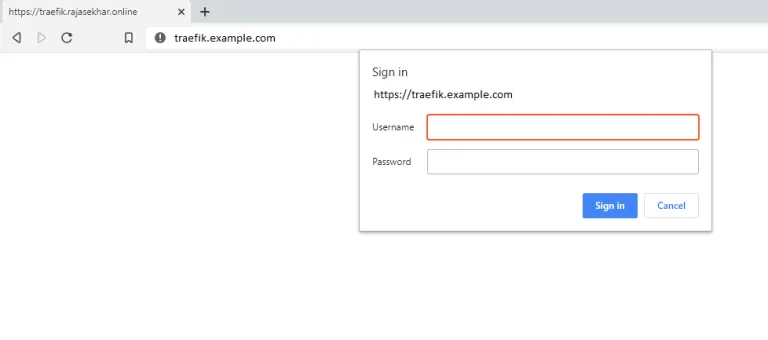
Now that the stack is running, browse to https://traefik.example.com (ensure you replace this with your actual domain).
You will be prompted for HTTP Basic Authentication. Enter admin and the password you generated earlier.
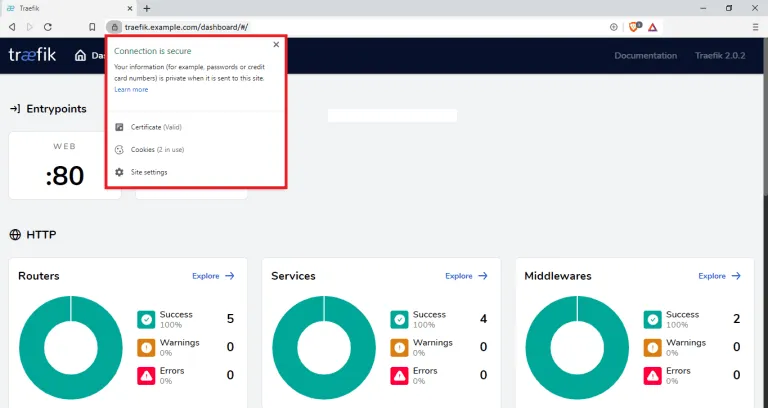
You will observe that Traefik automatically redirects HTTP traffic to HTTPS using the Let’s Encrypt certificate stored in your acme.json file.
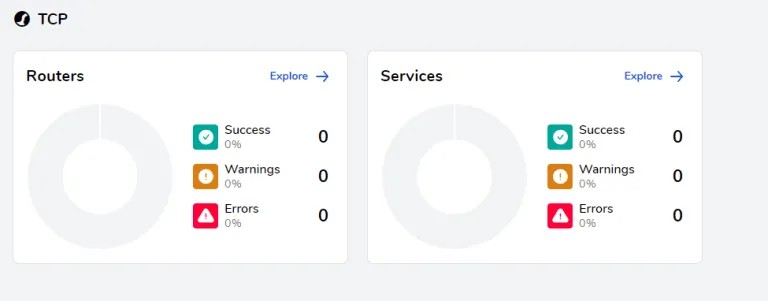
Reference Images from the Dashboard:
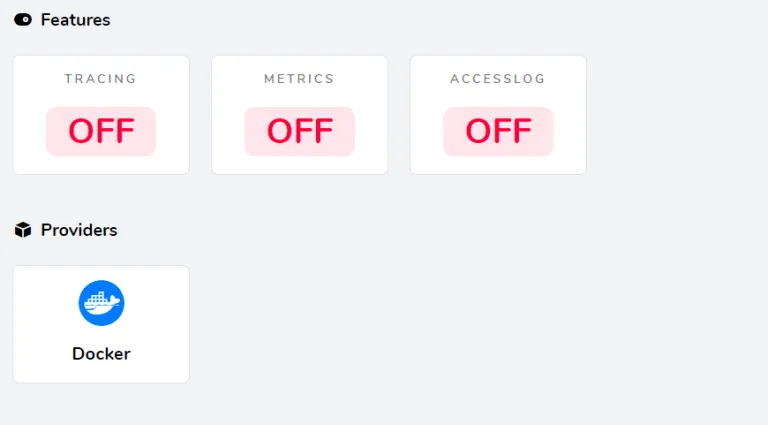
I will be using this
proxystack as the ingress load balancer for all future applications deployed to this Docker Swarm Cluster.
In upcoming posts, I will show how to deploy MariaDB, WordPress, Nextcloud, Rocket.Chat, Metabase, Flarum, and more—all seamlessly routed behind this Traefik proxy.
Stay tuned for more deployments!

Continue reading

How to Deploy Caddy 2.3 with Automatic HTTPS in Docker Swarm
Caddy is a powerful, enterprise-ready, open-source web server with automatic HTTPS written in Go. Learn how to deploy it as an ingress reverse proxy in Docker Swarm.

How to Deploy Metabase 0.46.5 in Docker Swarm Behind Traefik v2.10.1
Metabase is the easy, open-source way for everyone in your company to ask questions and learn from data without knowing SQL. Learn how to deploy it in a Docker Swarm cluster.

How to Deploy Jekyll 4.2.0 in Docker Swarm Behind Traefik v2.0
Jekyll is a highly customizable static site generator. Transform plain text written in your favorite markup language into beautiful, static websites.