How to Deploy Adminer 4.8.1 Database Management Tool in Docker Swarm Behind Traefik v2.0
Adminer is a lightweight database management tool with a clean GUI, serving as a powerful alternative to phpMyAdmin and CLI administration.
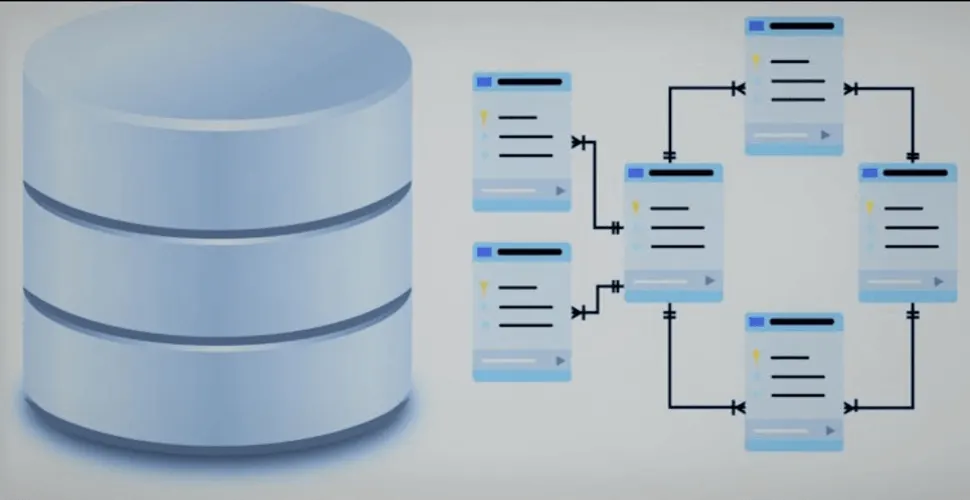
Adminer is a lightweight, web-based database management tool designed for administrators and developers who prefer a visual interface over the command line.
In a previous tutorial, we explored deploying MariaDB in a Docker Swarm cluster and managing it through the CLI. While the terminal offers precision and speed, a visual dashboard is often more convenient for daily query execution, table schema inspection, and data exploration. In this guide, we will deploy Adminer 4.8.1 inside a Docker Swarm cluster behind Traefik v2.0 with automatic SSL termination.
Prerequisites
Ensure you have the following components in place before deploying:
- A functional Docker Swarm Cluster with distributed shared storage (such as GlusterFS).
- Traefik v2.0 deployed as the ingress reverse proxy on an overlay network named
proxy. - An active database service (such as MariaDB) reachable across the Swarm network.
What is Adminer?
Adminer (formerly known as phpMinAdmin) is an open-source database administration tool distributed under the Apache License (or GPL v2). Unlike phpMyAdmin, which consists of thousands of files, Adminer is packaged as a single, highly optimized PHP file roughly 470 KB in size.
It provides native support for multiple database management systems, including MySQL, MariaDB, PostgreSQL, Microsoft SQL Server, SQLite, Oracle, Firebird, SimpleDB, Elasticsearch, and MongoDB.
Why Choose Adminer over phpMyAdmin?
While phpMyAdmin remains widely known, Adminer was built from the ground up to address its core limitations:
- Resource Footprint: Consists of a single script, reducing storage overhead and attack surface.
- Performance: Significantly lower execution overhead and faster page load speeds.
- Broad Database Support: Works seamlessly across diverse SQL and NoSQL engines.
- Enhanced Security: Less susceptible to legacy CVEs and heavy framework exploits.
Key Capabilities
- Authenticate against remote servers using standard database credentials.
- Create, modify, and drop databases, schemas, views, and stored routines.
- Inspect and alter table structures, column definitions, data types, indexes, and full-text keys.
- Manage relationships and foreign constraints visually during schema design.
- Execute ad-hoc SQL statements via an interactive text editor or script upload.
- Export table structures, datasets, or full schemas into SQL dumps or CSV format.
Prepare the Deployment Directory
Create a dedicated directory under /opt to store the Docker Swarm deployment stack:
cd /opt
sudo mkdir -p adminer
cd adminer
sudo touch adminer.yml
Docker Compose Stack Definition
Open adminer.yml in your editor of choice:
sudo nano adminer.ymlAdd the following stack specification:
version: "3.7"

services:
  adminer:
    image: adminer:4.8.1
    ports:
      - "5000:8080"
    environment:
      - PMA_HOST=testdb:3306
      - MYSQL_USER=testuser
      - MYSQL_PASSWORD=password
    networks:
      - proxy
    deploy:
      replicas: 1
      placement:
        constraints:
          - node.role == worker
      update_config:
        parallelism: 2
        delay: 10s
      restart_policy:
        condition: on-failure
      labels:
        - "traefik.enable=true"
        - "traefik.docker.network=proxy"
        - "traefik.http.routers.adminer.rule=Host(`dbadmin.example.com`)"
        - "traefik.http.routers.adminer.entrypoints=websecure"
        - "traefik.http.routers.adminer.tls=true"
        - "traefik.http.routers.adminer.tls.certresolver=default"
        - "traefik.http.services.adminer.loadbalancer.server.port=8080"

networks:
  proxy:
    external: true
Review the deployment video below for a step-by-step walkthrough of Adminer on Docker Swarm.
Configuration Details:
- Port Mapping (
5000:8080): Adminer listens internally on port8080. We publish port5000on the host to avoid potential port conflicts with the Traefik dashboard. - Overlay Network (
proxy): Connects Adminer to the existing ingress network where Traefik routes inbound HTTP/HTTPS traffic. - Traefik Routing Labels: Tells Traefik to automatically discover the container, match requests on
dbadmin.example.com, and acquire Let’s Encrypt certificates using thedefaultresolver.
Deploy Adminer to the Swarm
Deploy the service stack using the Docker CLI:
docker stack deploy --compose-file adminer.yml adminerVerify that the task has scheduled and started successfully:
docker stack ps adminerEnsure a valid DNS A or CNAME record points dbadmin.example.com to the public IP address of your Swarm ingress load balancer or manager node.
Accessing the Web Interface
Once DNS has propagated, open your browser and navigate to https://dbadmin.example.com.
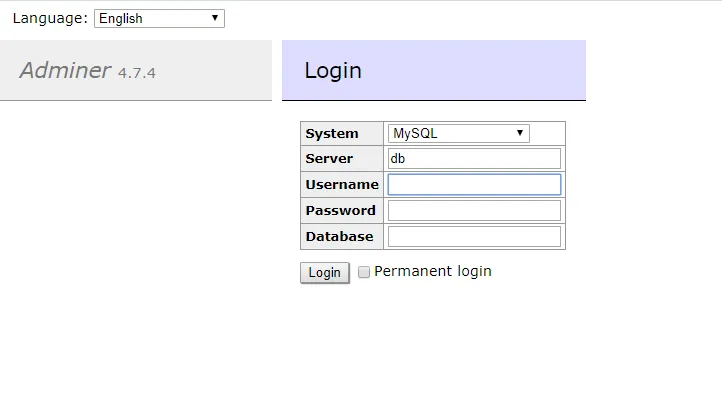
Log in by providing the target database server hostname (such as testdb within the Docker overlay network), database username, and password:
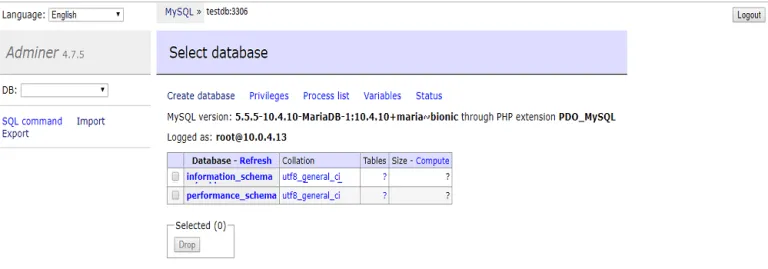
Upon authentication, the full management console becomes available:
Summary
Adminer provides an agile, low-maintenance approach to database management in distributed container environments. In upcoming guides, we will explore deploying enterprise workloads—including Nextcloud, Rocket.Chat, and Wekan—onto Docker Swarm with automated reverse proxying.

Continue reading

How to Deploy MongoDB 4.4.22 in Docker Swarm Behind Traefik v2.0
MongoDB is a highly scalable NoSQL database program that uses JSON-like documents. Learn how to deploy it as a highly available service in Docker Swarm.

How to Deploy MariaDB 11.0.2 in Docker Swarm Behind Traefik v2.0
MariaDB turns data into structured information in a wide array of applications. Learn how to deploy this enhanced, drop-in replacement for MySQL in a Docker Swarm cluster.

How to Deploy MariaDB 11.2.2 Using Docker Compose Behind Caddy v2.7.6
MariaDB turns data into structured information in a wide array of applications, ranging from banking to websites. It is an enhanced, drop-in replacement for MySQL.